

How to import an email to Confluence
Email is great for sharing important information - and even better at hiding it afterwards. Avoid email's biggest weakness by importing your emails to Confluence. This article explains how.
Summary
- Although still widely used, emails are very inefficient as a repository of knowledge.
- It’s difficult to follow the thread of a conversation due to forked paths, edited “ccs” and subject lines, lost attachments, and automated grouping errors.
- Importing emails into Confluence makes knowledge more accessible and audit trails more traceable.
- Although Atlassian users have requested an email to Confluence feature for years, there’s no evidence that Atlassian are planning to add this functionality to Confluence Cloud.
- A simple solution is Togetha MailDrop for Confluence, which lets you drag and drop an email to a Confluence page, then inserts and formats all the content.
The scourge of email
We still rely heavily on email for communication, decision-making, and sharing important files.
The problem is that even though email is used for sharing important information, it’s very good at hiding it afterwards. This leads to fragmented knowledge and a much bigger cognitive load.
Ideally you’d move the information, perhaps even the conversation, to a centralised workspace where it’s easier to access, search for, and build upon in the future. Like an internal wiki.
Here’s where Confluence comes in. Confluence is a wiki, documentation hub, and team workspace where organisations can create, organise, and share content in one place.
Importing an important email to Confluence makes the knowledge in that email accessible to everyone and creates a reliable audit trail. In this article, we’ll look at how you can convert your emails into fully formatted Confluence pages with attachments, centralising crucial information for easy reference later.
How email hides your information
Information gets lost in inboxes because of the way emails are formatted, and the way email clients and servers work.
Things like the dreaded ‘conversation view’ ironically make it really difficult to follow the thread of a conversation. Older messages get collapsed, inline replies and attachments get lost. Emails with the same subject line get grouped incorrectly even though they’re about different topics.
Sometimes someone will go and change the subject line mid-thread, causing conversations to fork along new paths. Edited “tos” and “ccs” break up the story and lead to inconsistent knowledge across the team.
The disorder of a typical email chain makes it hard to pinpoint the essence of a discussion and find what you actually need. This is why email is the one of the worst systems for maintaining an audit trail. There’s rarely a single definitive record of what happened, when it happened, and who was involved.
Why move your emails to Confluence?
There are a bunch of reasons why important emails are better off in Confluence than in your email client.
Making knowledge visible
Moving your emails to Confluence enables you to consolidate your information in one place. It stops key details from getting locked inside people’s inboxes and disappearing when they go on holiday, switch roles, or leave the organisation altogether.
Instead the information becomes part of a shared knowledge base, making Confluence your single source of truth so that everyone works from the same, most complete version of the information.
Reducing repeated work
Moving knowledge from emails to Confluence also prevents redundancy and repeated work. Let’s say a printer breaks and Jane from IT sends some lovely step-by-step instructions for how to fix it by email. Those instructions will get buried and forgotten if they’re not copied to a central platform. Next time a printer breaks, Jane will have to resend them.
Copy the instructions to Confluence and you’ve created instant documentation that’s now easily discoverable using Confluence’s search capabilities and hierarchical page structure. This enables employees to self-serve when they need something, rather than asking a colleague to forward an old email.
AI summaries
If an email chain is full of back-and-forth comments, suggestions, or useful tips, then another advantage of importing to Confluence is that you can use Rovo, Atlassian’s AI. This can summarise all the emails for you, and create a piece of documentation that’s easier to consume and understand.
CYA (covering your ass!)
Emails are widely used for ‘covering your ass’ (CYA) because they provide evidence of decisions and actions taken that may become crucial in a dispute. Again, trying to pull up information to prove something is difficult when it’s buried deep in a messy email chain. But if you put it in Confluence, you’re making everything that was discussed, agreed, and decided fully traceable.
Shifting the conversation off email
Another overlooked advantage of importing an email to Confluence is that it moves the conversation out of people’s inboxes and into a shared, visible workspace. Discussions can continue directly on the Confluence page through page comments, inline comments, and collaborative editing, which all become part of Confluence’s page history.
Is there a way to import an email to Confluence natively?
No. There’s an official Atlassian support ticket requesting an email to Confluence conversion feature for Confluence Cloud. But it’s been “gathering interest”—the initial status for a new feature request—for the past 16 years! The ticket was created in 2004!
There’s also a ticket requesting the same functionality for Confluence Server/Data Centre. In July 2020, Atlassian revealed that they had decided to work on the feature, moving it from “gathering interest” to “in progress”. But a year later, they said they were putting the work on hold and moving it to “future consideration”. Now that Data Centre is joining Server in Atlassian’s big archive in the sky, the chances of anything happening there are DOA.
Basically, if you’re waiting for this to be added as a native feature to Confluence Cloud or Data Centre, don’t hold your breath!

Converting emails to Confluence pages with Togetha MailDrop for Confluence
A quick and easy way of converting an email into a fully formatted Confluence page is to use our Atlassian Marketplace app, Togetha MailDrop for Confluence.
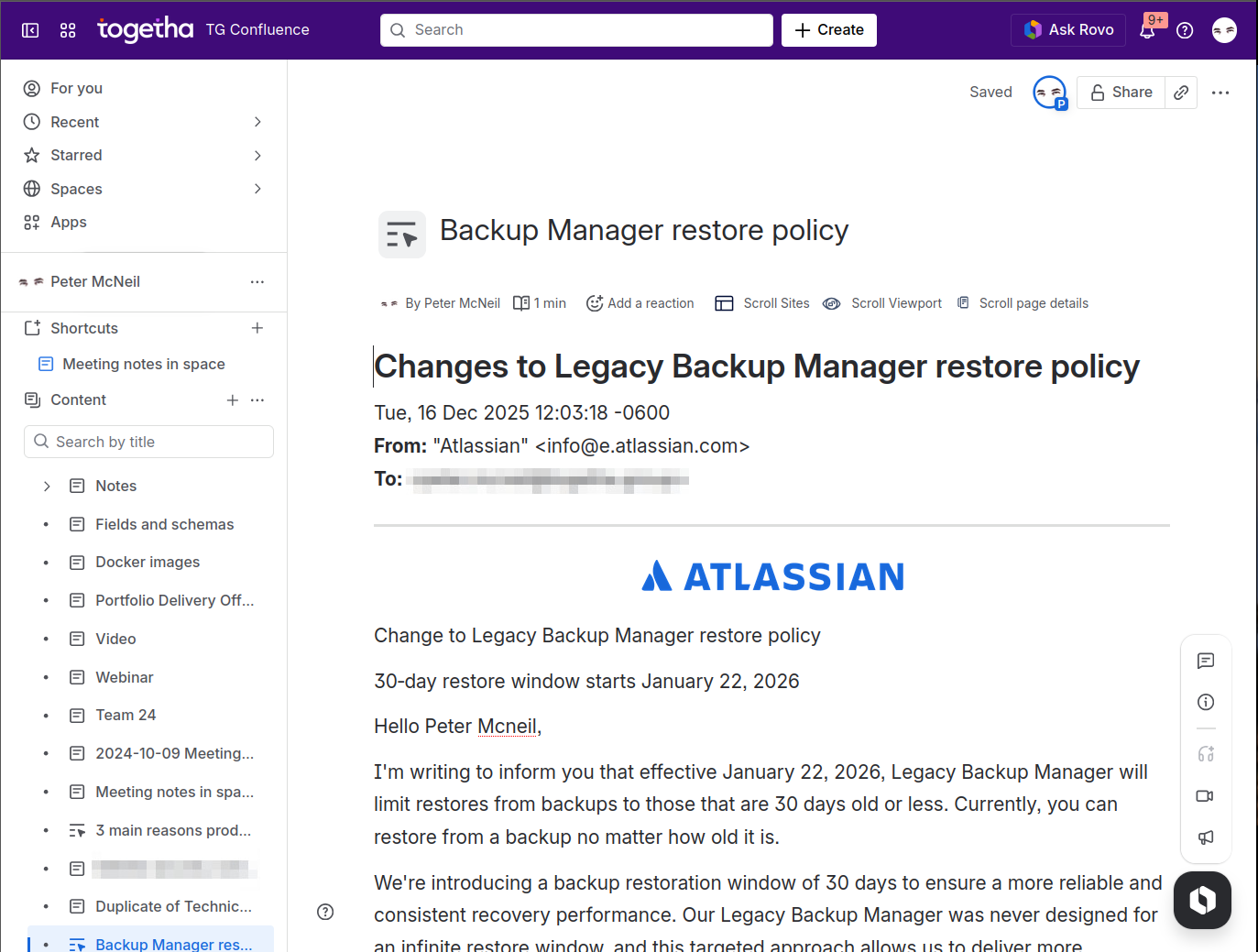
This super-simple tool lets you drag and drop an email file onto a Confluence page, live page, or blog. The app then adds the contents of the email and corrects the formatting issues that copying and pasting tends to make a real mess of. It also adds any attachments to the bottom of the page.
Unlike other Marketplace apps, you don’t need to set up any email servers or accounts to use MailDrop for Confluence. Your email gets processed directly in Confluence, and the data never leaves your site. We don’t store it, or see it.
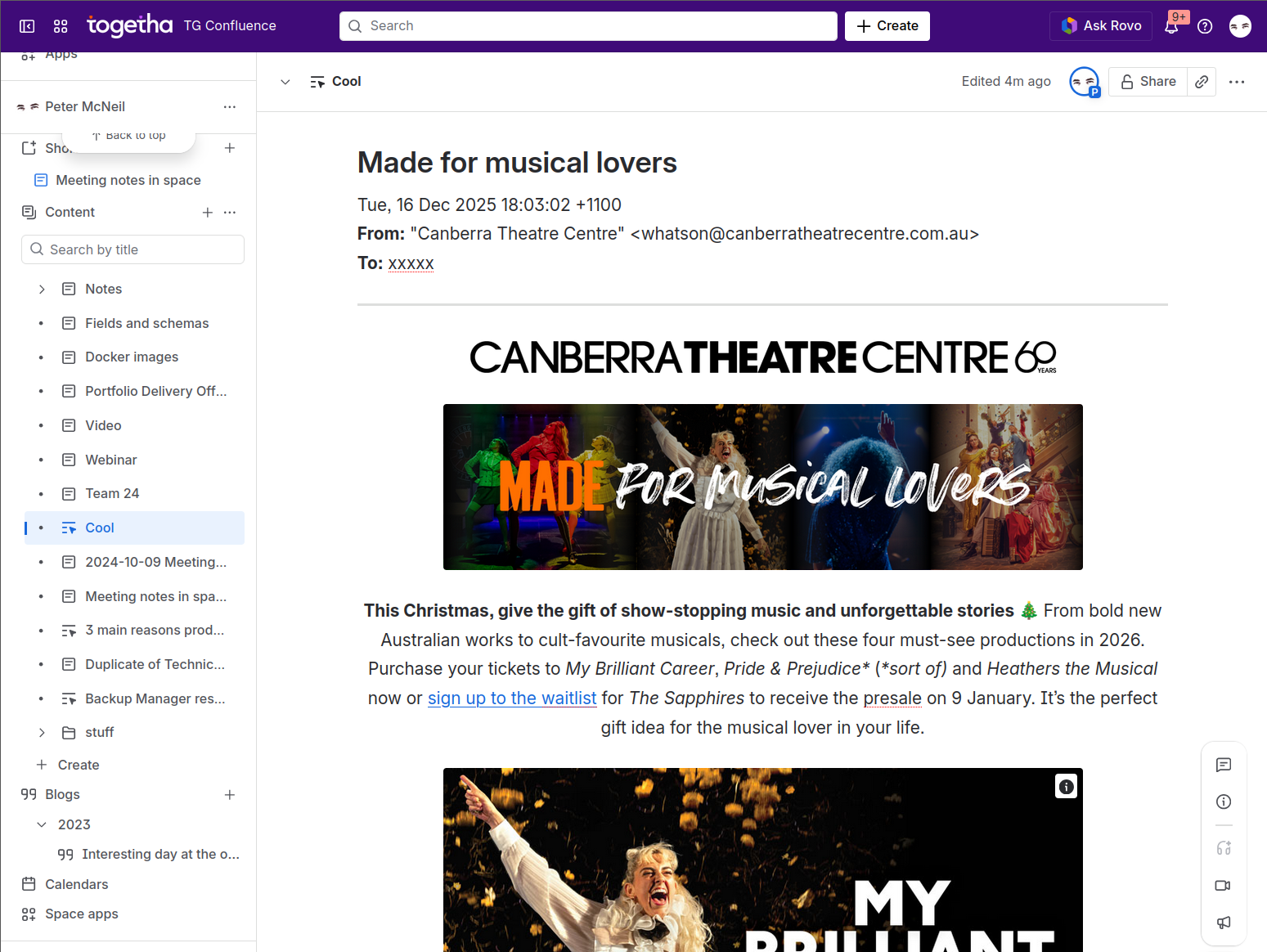
Try Togetha MailDrop for Confluence free for one month and create instant documentation from complex email chains—reducing repeated work, crossed wires, and lost context.

